Step 2 of 2
Secure Instagram Login
We use these details once to connect your account and run the agreed activity. Your login is handled securely, never shared, and never stored.

We use these details once to connect your account and run the agreed activity. Your login is handled securely, never shared, and never stored.

From your profile, tap the menu icon in the top-right corner.
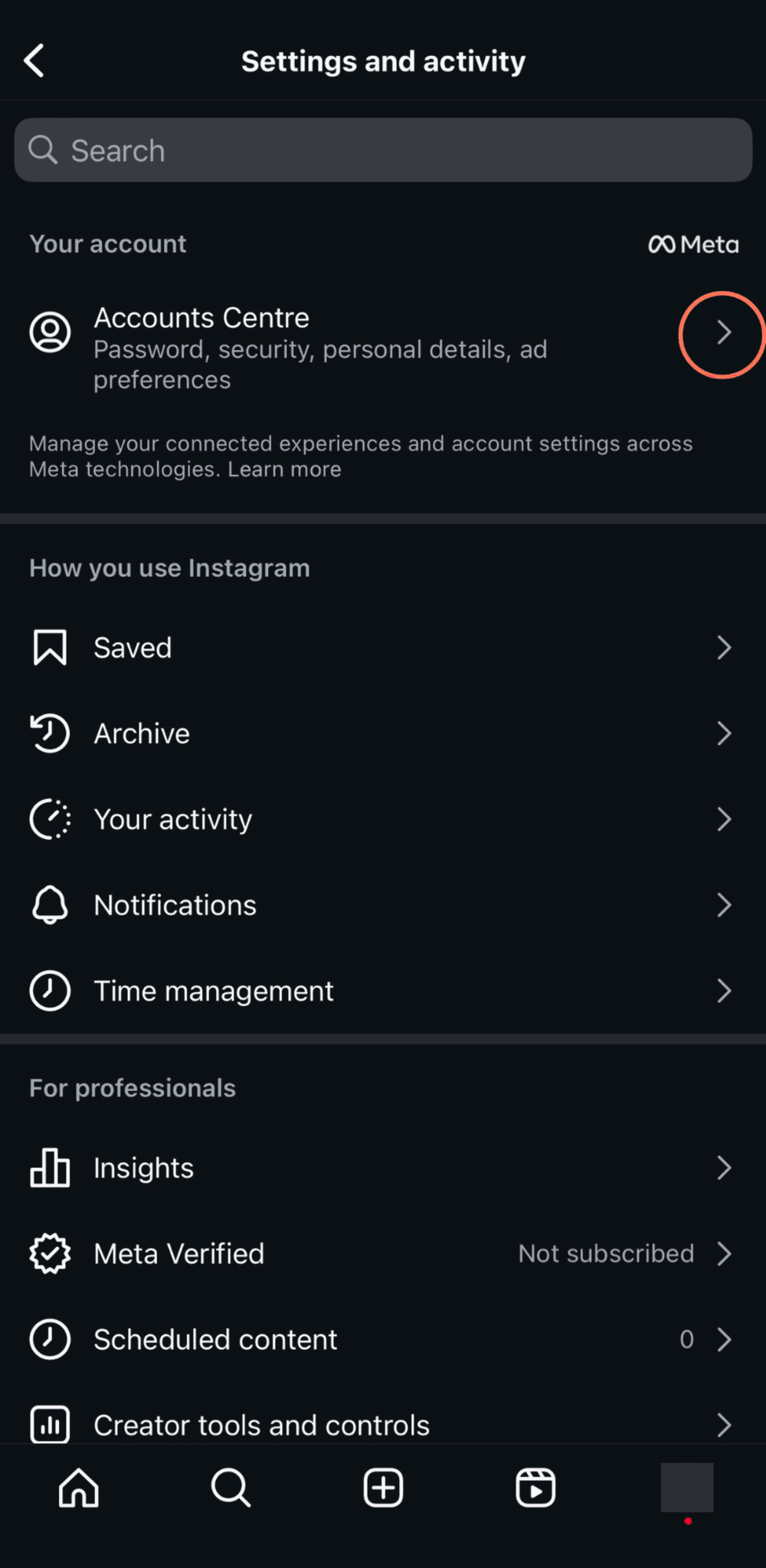


Navigate through Accounts Center → Password and security → Two-factor authentication, then choose the correct account.
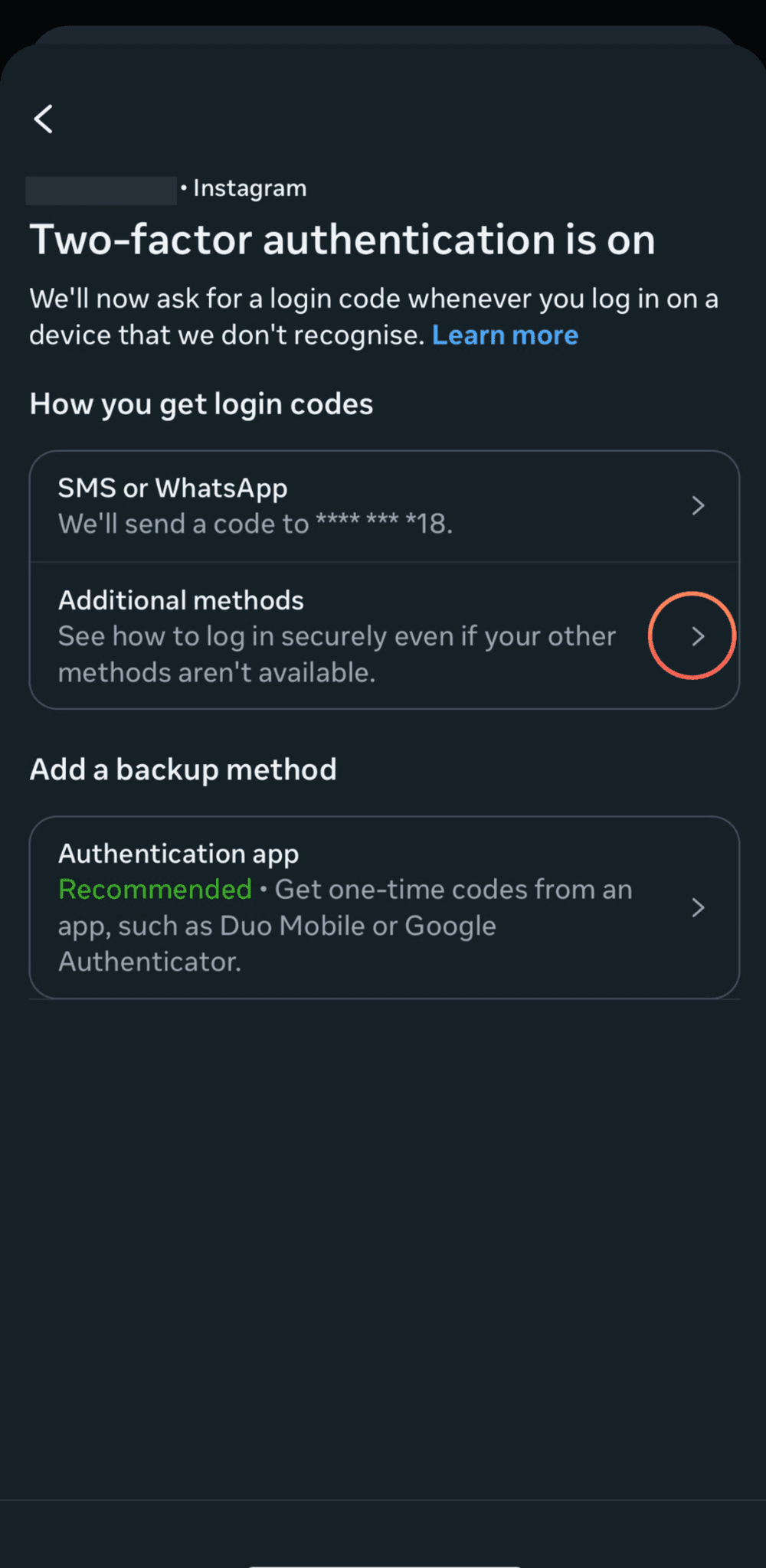

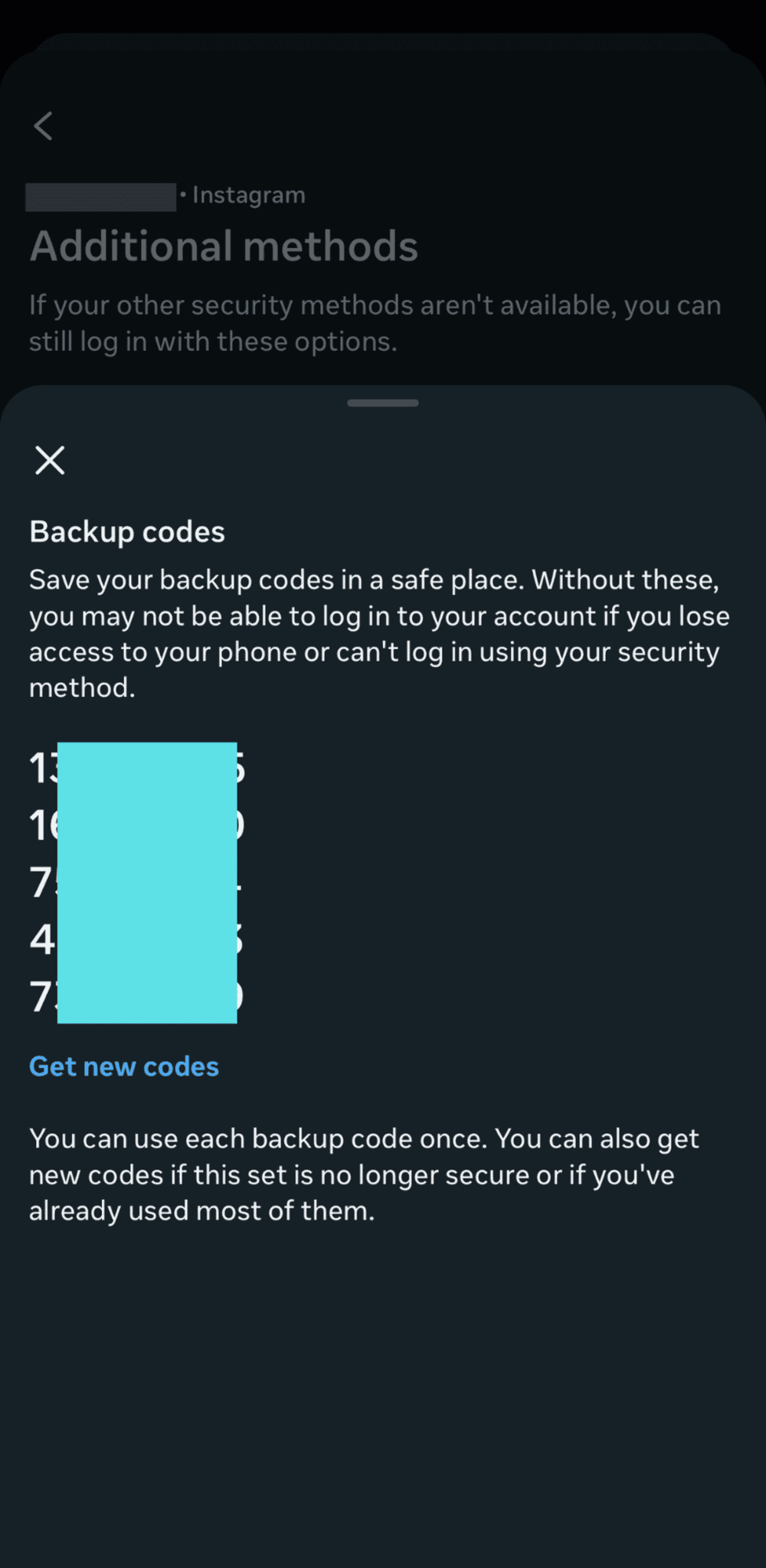
Any single backup code is enough — just paste one into the form.
If you don't see "Backup codes" as an option:


After verifying your phone number, "Additional methods" and "Backup codes" will appear.